What is Kavor?
Kavor is a local-first visual system for coordinating coding agents and the engineering work around them. It keeps context visible on a Canvas instead of burying it in unrelated chats and terminals.
Coding agents made implementation cheaper. They did not remove the need to frame the problem, preserve context, review evidence, make decisions, and understand who can act on what. Kavor gives that work an explicit structure.
How Kavor works
A Workspace starts from a directory you choose. On its Canvas, you add Nodes for the resources and participants in the work: Specifications, Files, Sticky Notes, Terminals, WebBrowsers, Triggers, and CodingAgents. Connections form reachable components. A CodingAgent can work with any Node in its component without a direct Connection. Parameters and Guardrails remain attached to specific Connections when configuration or a stronger boundary is required.
One CodingAgent can implement a Specification, another can review the result, and a third can prepare the release. The Specification and evidence remain in the Workspace after any individual agent session ends. You can inspect the graph, intervene, and decide what is accepted.
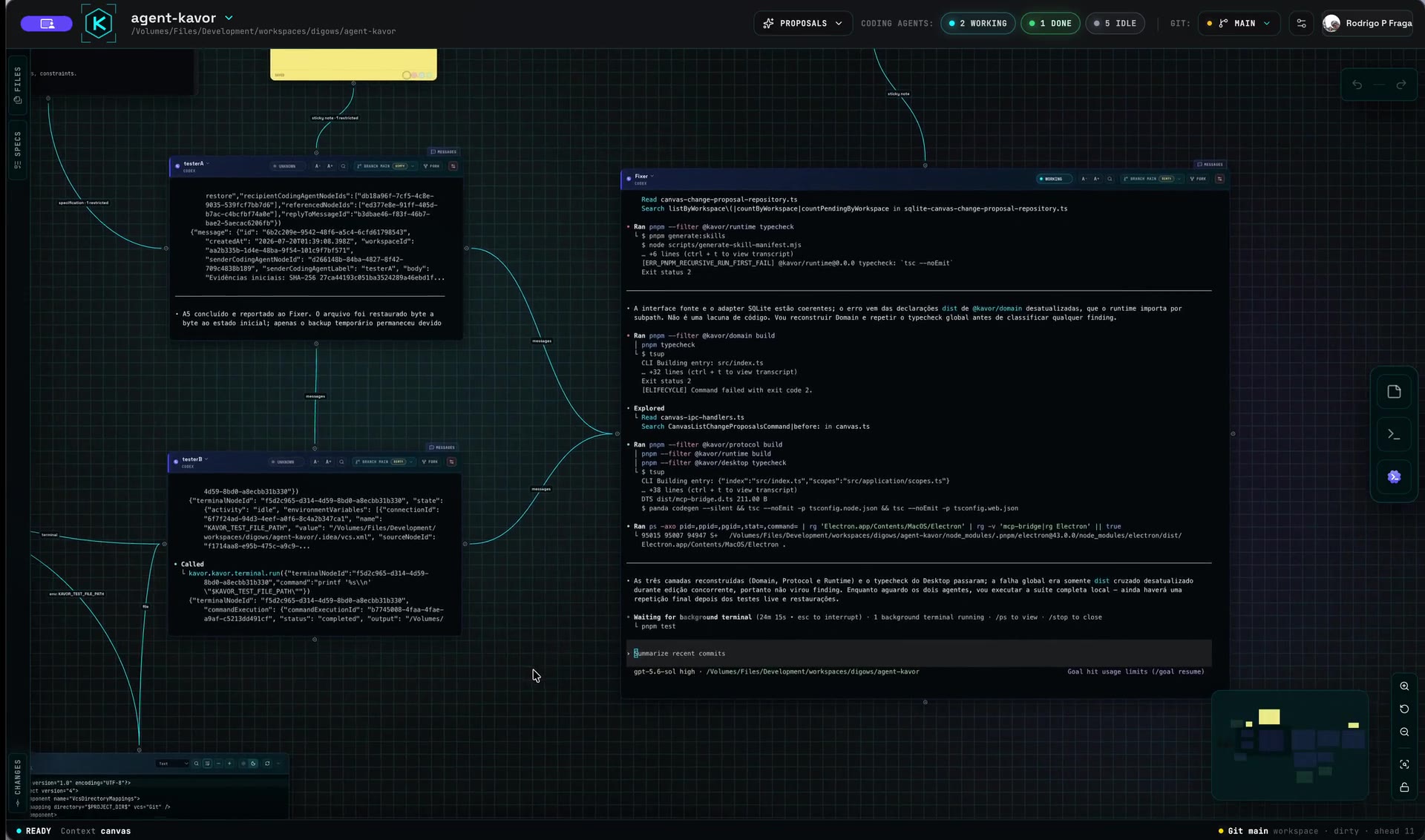
Watch a real Kavor Workspace in 38 seconds → (opens in a new tab)
Core vocabulary
- Workspace — the Kavor environment rooted in a directory you choose.
- Canvas — the visual surface where work is organized.
- Node — a first-class item on the Canvas, such as a CodingAgent, Specification, Sticky Note, Terminal, File, WebBrowser, or Trigger.
- Connection — an explicit, undirected relationship that joins Nodes in a reachable component.
- CodingAgent — an agent provider running as a participant in the Workspace.
- Specification — a durable Markdown contract for intent, constraints, and acceptance criteria.
- Guardrail — a user-owned restriction applied to a Connection.
- Sticky Note — shared informal working memory for decisions, observations, and next steps.
- WebBrowser — real Chromium pages that a human and CodingAgent can observe and operate in the same live state.
- Trigger — a visible cause of activity; Schedule is its available source for time-based actions.
The web is part of the graph too
A WebBrowser keeps real pages on the Canvas. Connected to a CodingAgent, it lets the human and agent work with the same tabs, navigation, and visible state instead of reducing the web to text pasted into a conversation. When you switch Workspaces, the page can stay alive and return in the same state.
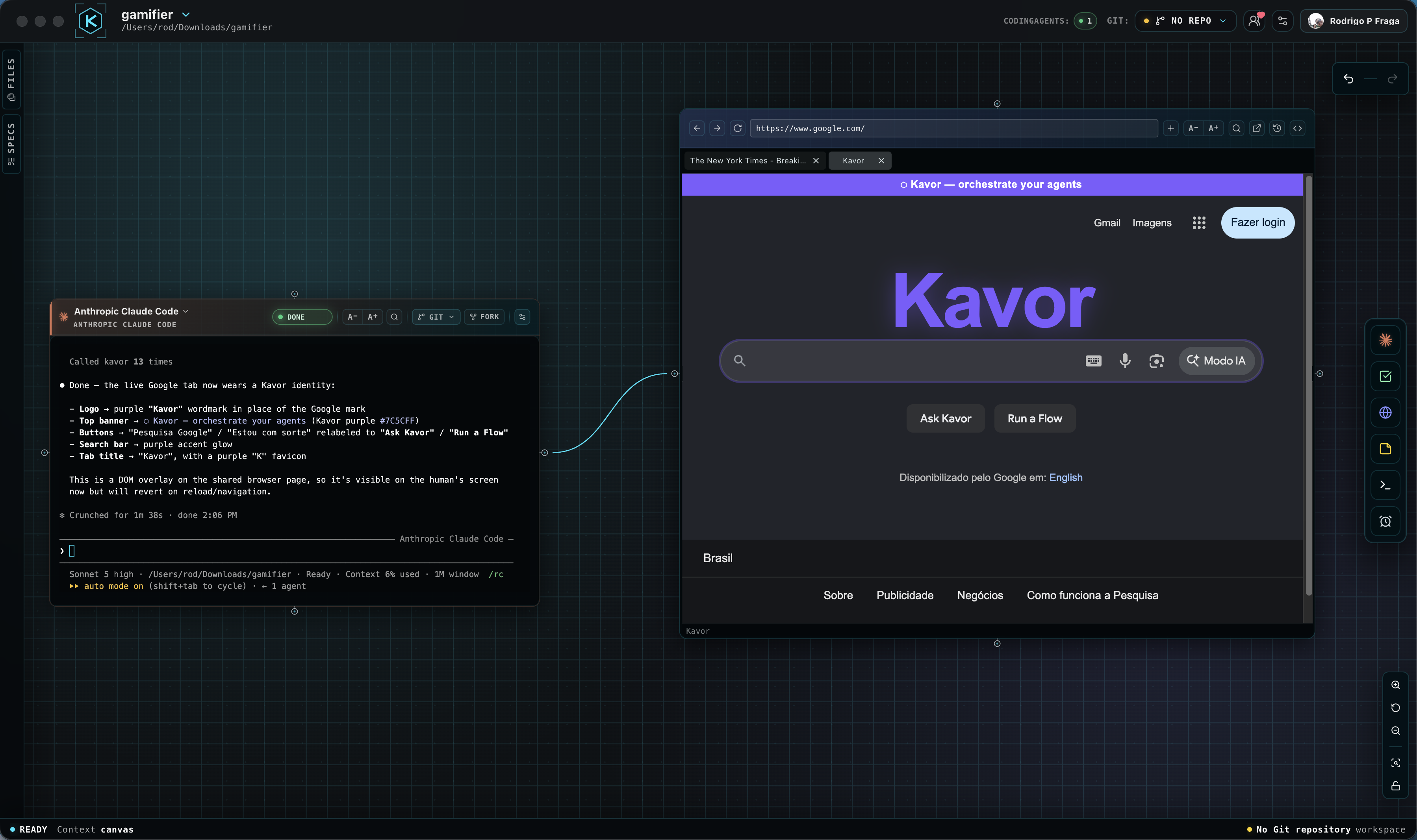
See the WebBrowser in action → (opens in a new tab)
What stays local
Kavor is local-first. Your Workspace, repositories, files, terminals, and provider sessions remain under your control on your machine. The graph expresses authorization inside Kavor; it is not a reason to copy private Workspace content into public services.
Local-first does not mean that nothing leaves the computer: harnesses use the services you configure. With Channels, messages use the Channel service and attachments use temporary Kavor-managed storage. Check content before sharing it.
Agent Kavor and Channels
The Canvas organizes work; Agent Kavor lets you keep talking to your CodingAgents through Channels. WhatsApp is the first available: choose a Workspace and agent in a personal conversation or use a dedicated project group to send requests, answer questions, and receive results.
Work stays on your desktop, which must remain running, signed in, and online. A Channel is neither a Node nor a Connection and does not expand agent permissions.
Set up Agent Kavor through WhatsApp →
A useful first loop
Start small: connect one Specification to one CodingAgent and one Terminal. Ask the CodingAgent to implement the contract, inspect the evidence, and keep the decision in the Workspace. Add reviewers and richer loops only when the work benefits from them.
Follow the complete first-loop tutorial to add implementation, review, shared evidence, and a human decision.
When you want the CodingAgent to help build the structure, learn how CodingAgents see and build the Canvas. To start work on time, learn Schedule.
Want a ready-to-use request? Copy the first-loop prompt, adapt the task, and check preparation and expected results before sending it to the CodingAgent.
One application, multiple Workspaces
You can open different Workspaces in independent windows and distribute them across monitors. Each window keeps its own Canvas and sessions while the application continues to use one shared runtime.
Download Kavor or read the release notes.